Nícia Track
Built entirely by Paulo. Full migration from Render to AWS completed in production.
Question-based study platform with real content and one active user, in daily use preparing for Brazilian public-service exams and job selection processes. The system was started on Render, adequate for the MVP. As the platform grew, practical limitations emerged: the instance hibernating when idle, no persistent media file storage between deploys, and the need for more control over the infrastructure.
The decision to migrate to AWS was not made out of technical trend-following. Each migration component solved a concrete problem: EC2 eliminates hibernation, RDS externalises the database with managed backups, S3 persists media files between redeploys, and Cloudflare sits in front handling DNS and TLS.
The technical angle of this case: putting the full stack into production 'from DNS to database' (Cloudflare → Nginx → Gunicorn → Django → RDS) and understanding what breaks at each layer.
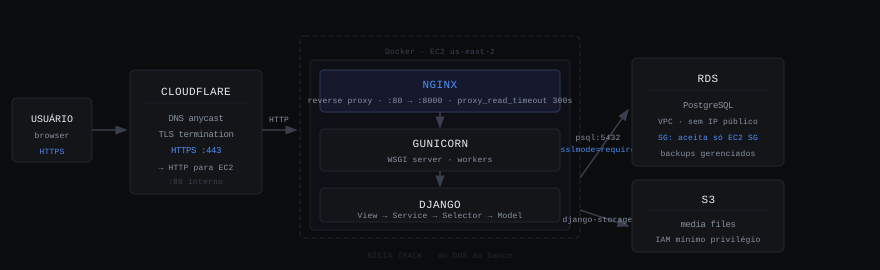
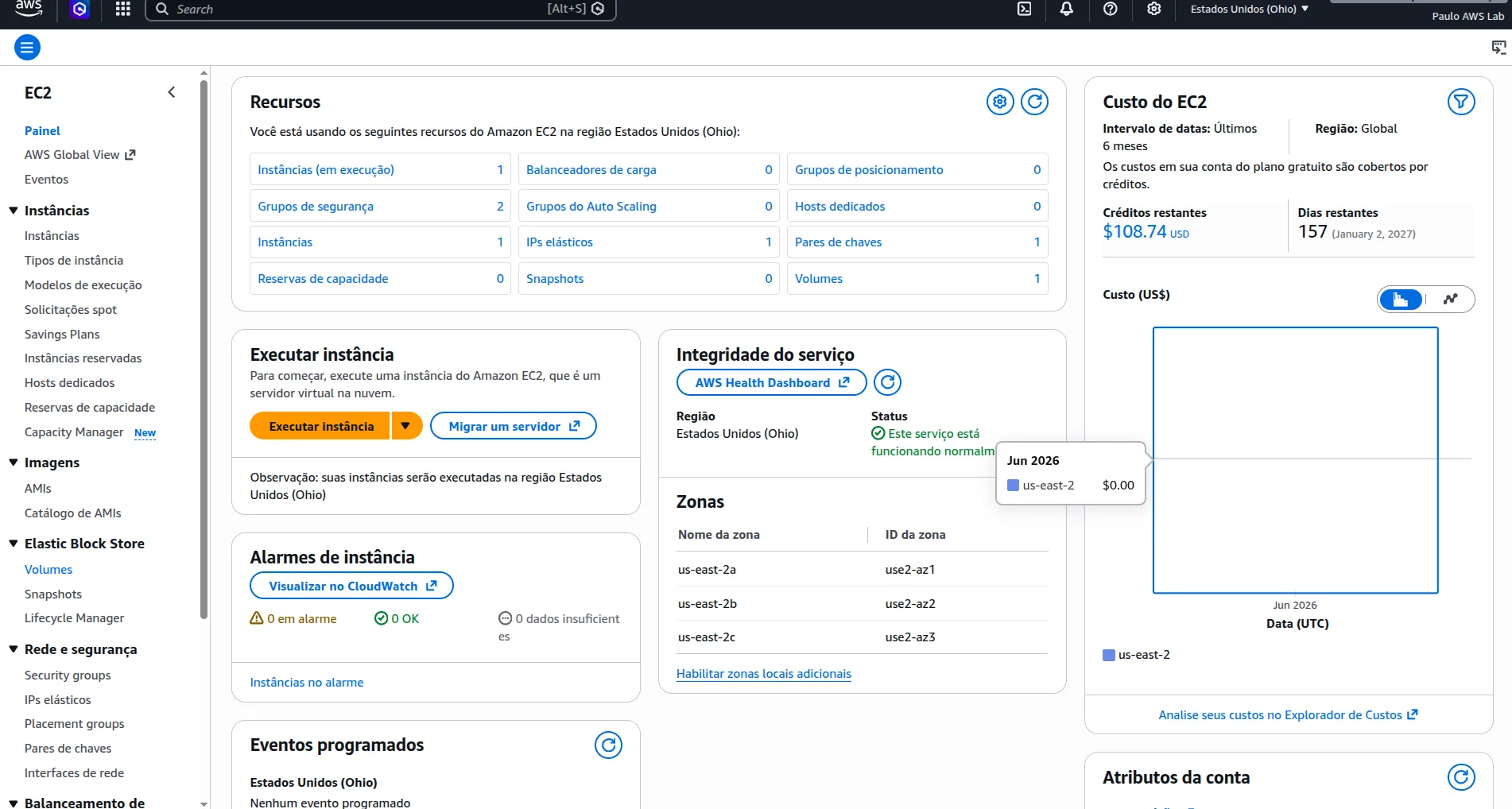
Cloudflare manages DNS and terminates TLS. EC2 runs a Docker container with Nginx (reverse proxy) in front of Gunicorn serving Django. Database on RDS PostgreSQL (separate VPC, no public IP). Media files on S3 via django-storages. IAM with least-privilege policy for the bucket. RDS Security Group accepts connections only from the EC2 Security Group, with no internet access. Environment-specific settings via DJANGO_SETTINGS_MODULE environment variable. The decision to separate migrations from the Docker CMD was made after the first production incident.
Layered architecture from the first commit
- Problem
- Django projects that start without layer separation accumulate business logic in views and models. The more the system grows, the harder refactoring becomes, and the more tests become coupled to the HTTP layer.
- Choice
- Abstract BaseModel with UUID as PK and created_at/updated_at fields inherited by all models. Environment-specific settings (base, development, production, testing) via DJANGO_SETTINGS_MODULE. Testing settings use in-memory SQLite + MD5Hasher (instead of the default bcrypt), making the test suite approximately 100x faster without losing logic coverage.
- Result
- ~3,171 lines of tests with no dependency on external infrastructure. Suite runs locally and in CI in an acceptable time. New models inherit UUID PK and timestamps automatically.
AWS deployment in phases, not all at once
- Problem
- Migrating all components at the same time (EC2, RDS, S3, Cloudflare, Security Groups, Docker), in a single moment, creates multiple simultaneous failure points. When something breaks, isolating the cause becomes difficult.
- Choice
- Phased migration: EC2 working with SQLite before provisioning RDS. RDS accessible before configuring restrictive Security Groups. S3 configured and tested before pointing DNS. Each phase has an acceptance criterion before moving to the next.
- Result
- Each problem appeared in one layer at a time, isolated and diagnosable. No rollback of multiple simultaneous pieces required.
RDS Security Group accepts only the EC2 SG
- Problem
- Initial RDS configuration with an open Security Group (0.0.0.0/0) to test connectivity. Production database with a public IP and port 5432 accessible from the internet.
- Alternatives
- Restricting by fixed EC2 IP is fragile if the EC2 is recreated (IP changes). Keep it open and protect with a strong password: security by obscurity, not by design.
- Choice
- Inbound rule on the RDS SG that accepts connections on port 5432 only from the EC2 Security Group, not from individual IPs. Added sslmode=require in Django's connection string. The database has no public IP; it exists only inside the VPC.
- Result
- RDS inaccessible from the internet by network design, not by password. Regardless of which EC2 replaces the current one, the SG rule remains valid.
Media files on S3, not on the EC2 filesystem
- Problem
- Media files saved on the EC2 filesystem are lost on every container redeploy or instance recreation. Discovered in practice: after the first production redeploy, question images returned 404s.
- Choice
- django-storages + boto3 with S3 backend. MEDIA_URL points to the bucket. IAM with least-privilege policy: the application user has only s3:GetObject, s3:PutObject and s3:DeleteObject on the specific bucket, with no access to other AWS resources.
- Result
- Media files persist between redeploys and instance recreations. Bucket with restricted IAM policy: blast radius limited if credentials are compromised.
Migrations separated from the container startup CMD
- Problem
- The Dockerfile CMD ran migrate before starting Gunicorn. During a deploy, the new container comes up before the old one is torn down. With both running migrate on startup, migrations fired in parallel, causing a race condition on schema changes. Discovered in production when two instances started simultaneously.
- Alternatives
- Manual migrations: they eliminate the risk but require human intervention on every deploy. An entrypoint with a distributed lock adds complexity without guarantees across all providers.
- Choice
- Dedicated migration job that runs before starting the application container. Container CMD now starts only Gunicorn. The separation makes explicit that migrations are a database operation (not an application one) that must run exactly once per deploy.
- Result
- No migration race conditions since the change. Container restart does not run migrations. Clearer deploy process: migration → health check → traffic.
Media files lost after redeploy
- Symptom
- After the first production redeploy, all images linked to questions returned 404 errors. The files had been saved to the EC2 filesystem inside the container, which was replaced by the new deploy.
- Cause
- Container filesystem is ephemeral by design. MEDIA_ROOT pointed to a local directory inside the container. Files not persisted externally are lost when the container is recreated.
- Fix
- Migrated existing files to S3 via AWS CLI. Configured django-storages with S3 backend. From that point on, uploads go directly to the bucket and survive any number of redeploys.
Migrations running in parallel on new and old container overlap
- Symptom
- With the Dockerfile CMD running migrate on startup, when the new container came up while the old one was still running, both tried to apply the same migrations at the same time. Database lock error.
- Fix
- Separated migrations into a dedicated job, run before replicas start. Container CMD now only starts Gunicorn. The execution order became explicit and controlled.
RDS Security Group publicly accessible during testing phase
- Symptom
- To verify connectivity during migration, the RDS Security Group was temporarily opened to 0.0.0.0/0. The database was accessible from the internet with a public IP for part of the configuration process.
- Fix
- Replaced the 0.0.0.0/0 rule with a direct reference to the EC2 Security Group. RDS without a public IP. sslmode=require in the connection string. Done immediately upon confirming that SG-based connectivity worked correctly.
Platform with 800 questions across 13 subjects, operating in production on AWS, with one user in daily use since deploy. ~3,171 lines of automated tests with a fast suite thanks to MD5Hasher and in-memory SQLite in the testing environment.
Render → AWS migration completed without data loss. Infrastructure with clear separation of responsibilities: Cloudflare (DNS/TLS) → Nginx (proxy) → Gunicorn (WSGI) → Django → RDS (database). Persistent media files on S3. RDS Security Group with no internet exposure.
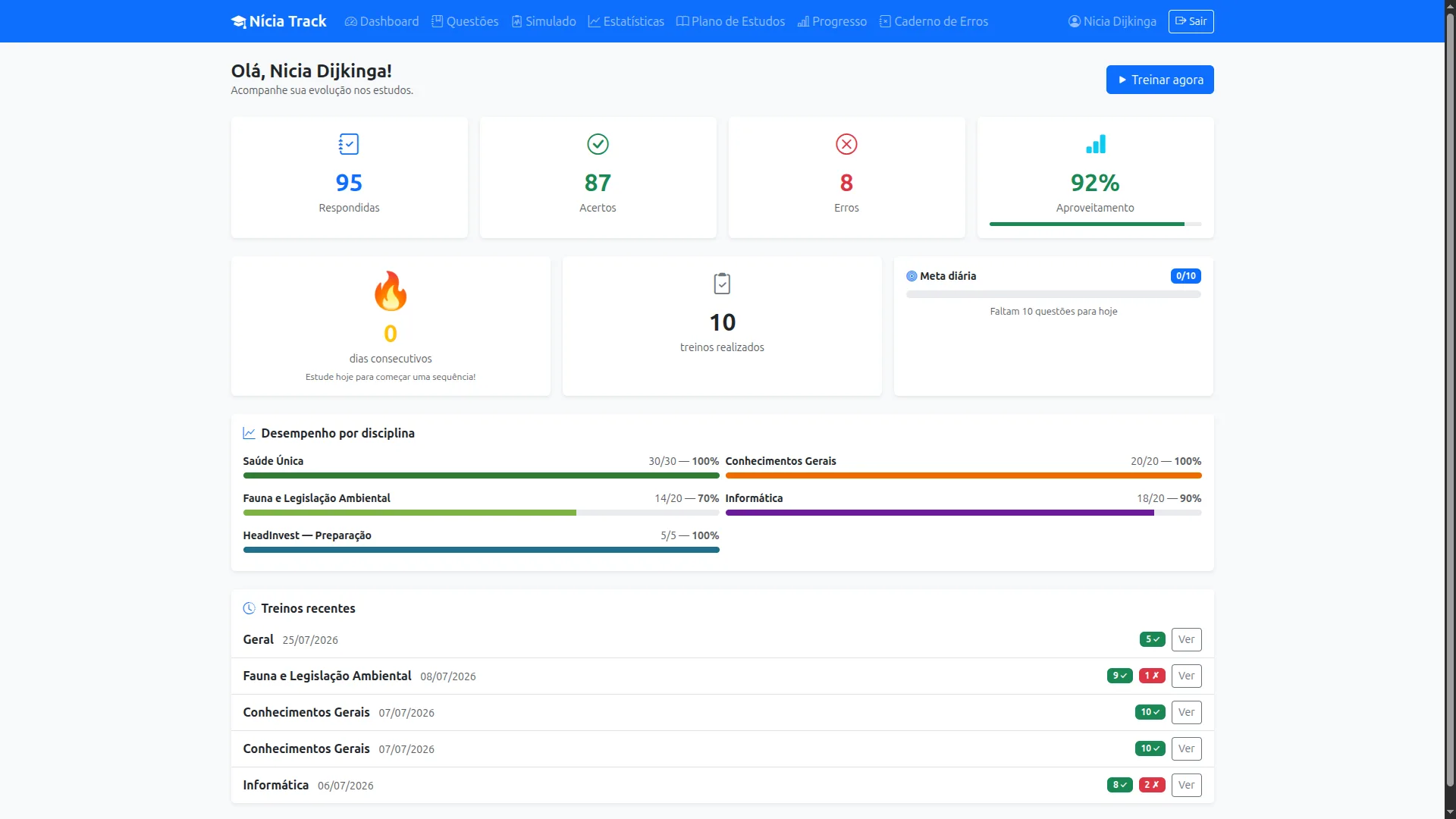
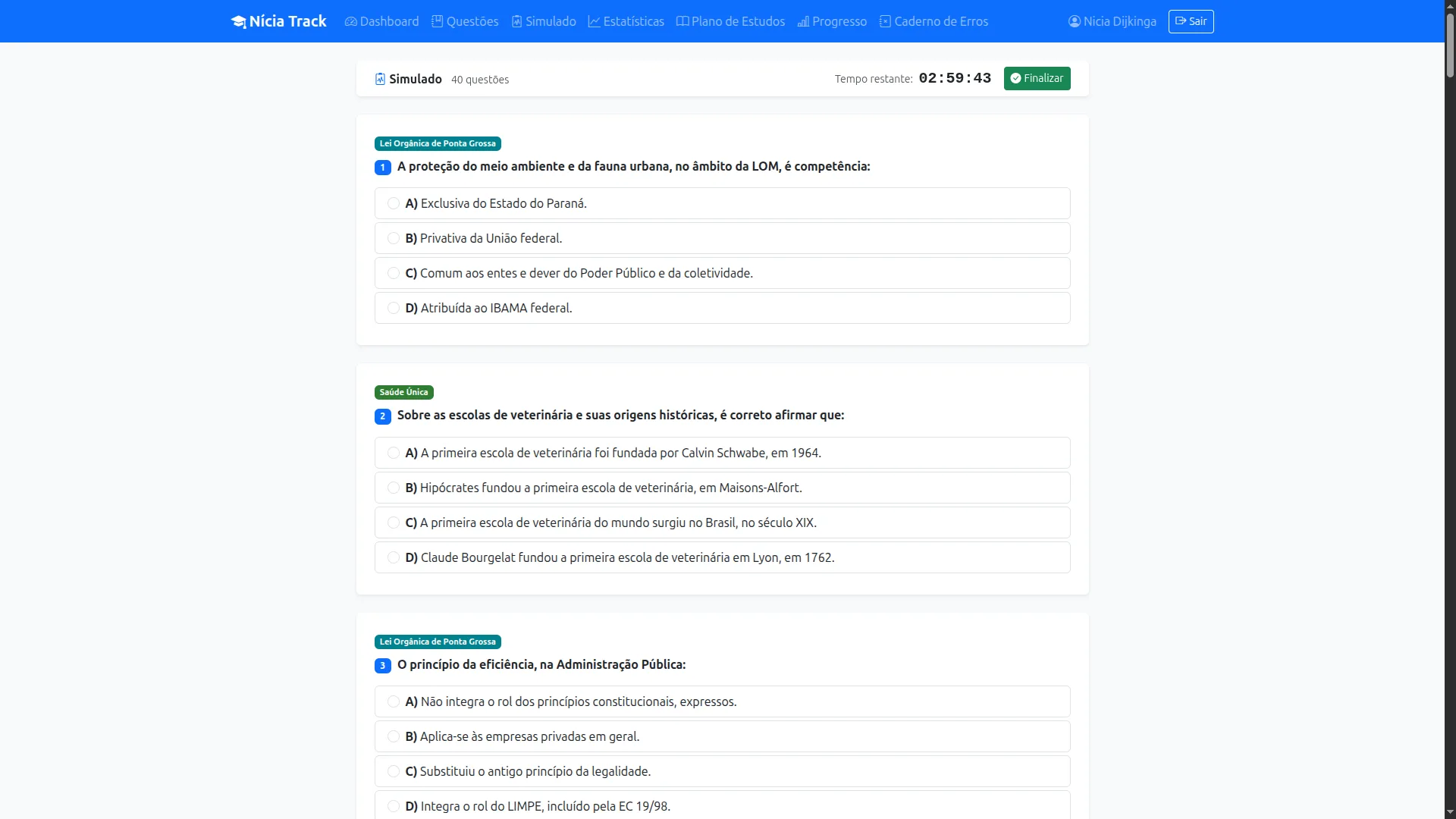
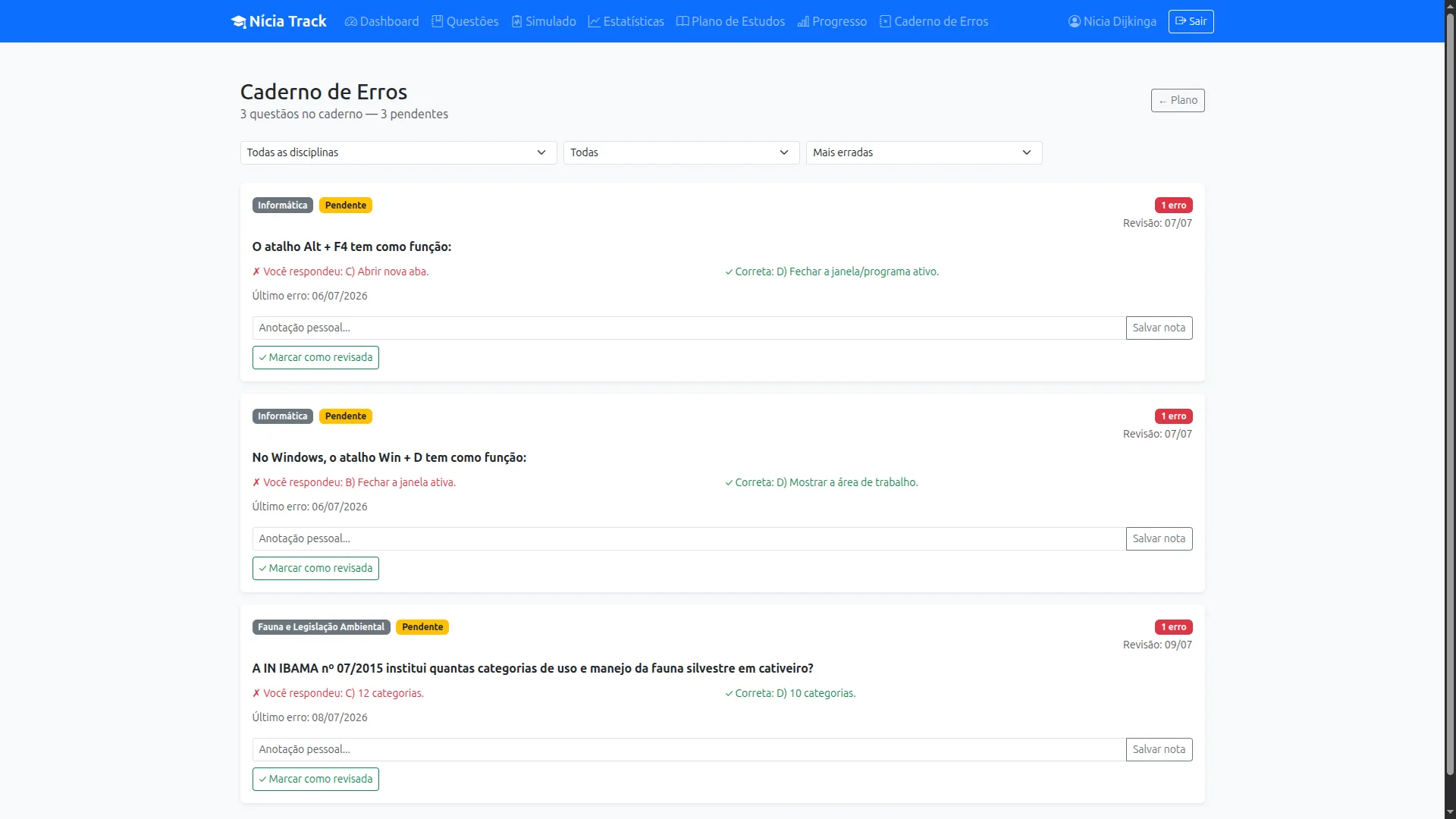
Incremental migration, one layer at a time, with an acceptance criterion before moving forward, is the only way to diagnose what breaks without collapsing everything at once. And security by network design (RDS SG only accepting the EC2 SG) is more reliable than security by password: it eliminates the attack surface before needing a credential.